Looking for additional ways to squeeze just a little bit more out of your local marketing efforts?
There’s a ton of different stuff I’ve done over the years, but remarketing campaigns have become one of my favorite things to run for my local business Google Ads clients.
Google Ads remarketing campaigns have become incredibly easy to set up, are very cheap compared to normal Google Ads campaigns, and they can help you get more leads practically on autopilot.
Let’s check out some of the numbers from a handful of the campaigns I’ve been running in multiple industries like dumpster rental google ads, auto detailing, auto tinting, and pool services.
Auto Detailing

Auto Tinting

Dumpster Rental

Pool Services

The great thing about all of the leads that have been generated for these clients, is that if we didn’t have Google Ads remarketing campaigns running, those leads might have not even reached out.
There’s a decent chance that all of those people could have reached out to competitors.
Instead, a lot of these clients are getting anywhere from 30 to 50 additional leads per month that they might have not gotten otherwise.
In order to make all of this work, we need a few things in place…
1) We Need To Build A Google Ads Remarketing Audience
You don’t even need to be running a regular Google Ads campaign to run remarketing ads.
In many cases, if you’ve already got organic traffic making it to your website from organic search or from your Google Business Listing you can show remarketing ads to those people.
On top of that, you can even remarket to people who have viewed your YouTube videos, used your app, or from a custom list that you upload.
In this case, we’ll just keep it simple and focus on people either going to your website or to a landing page.
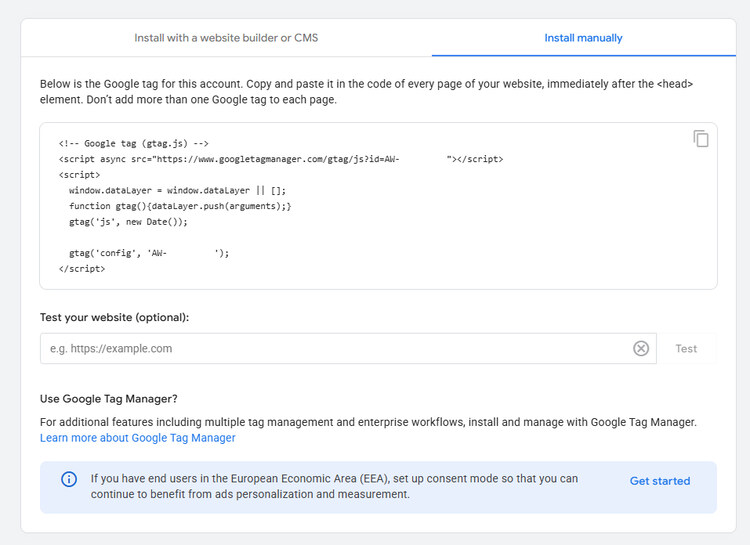
All you need to do is take your Google Tag, and install it on every page you’re going to have traffic going to.
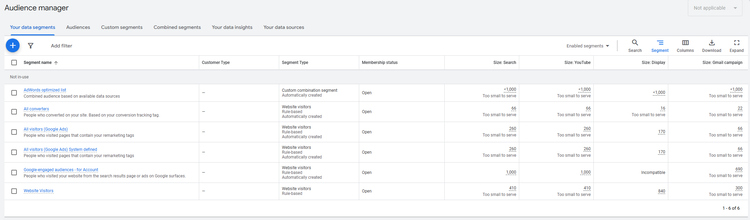
Then you just need to come back to your audience manager in your Google Ads account.
You can find that under Shared Library > Audience Manager.
Make sure your Google Ads remarketing audience is targeting website visitors, and you can set the length of time people stay in that audience to whatever you want to set it to.
In many cases for myself, I set it to 365 days.
2) Create Your Google Ads Remarketing Campaign
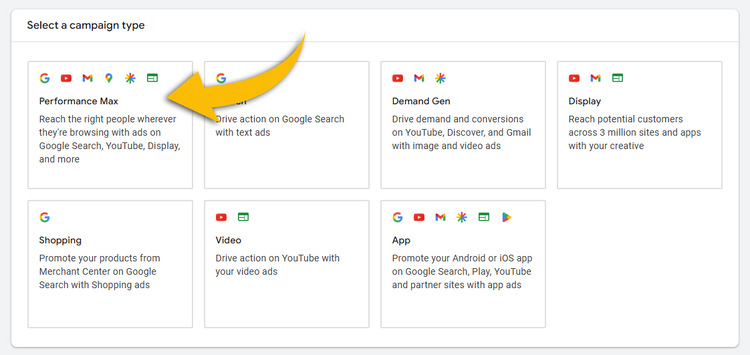
For Google Ads remarketing campaigns, I run them as Performance Max Campaigns.
Normally, I wouldn’t touch Performance Max campaigns for local lead generation with a ten foot pole.
In this case however…
Since we’re going to be feeding the campaign our custom audience, we’re actively telling Google the exact audience we want to show our ads to.
Some things to keep in mind with the settings for your Google Ads remarketing campaign…
Run It With A Maximize Conversions Bid Strategy
I’ve found this bid strategy to be the best so far, and I’ve had no issues with the bid strategy up to this point.
Make Sure You Have Conversion Tracking Enabled
If you don’t have conversion tracking set up on your campaigns already, you’re going to want to set that up before you run a campaign.
When there’s no conversion tracking set up for a campaign, it will be flying blind.
In that case, your Google Ads remarketing campaign will end up having no idea what to optimize itself for.
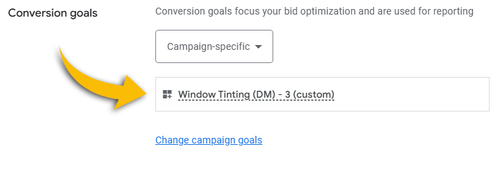
Then when you have conversion tracking set up, make sure you’re setting that as the main goal for the remarketing campaign.
If you do already have conversion tracking enabled on your main campaign, set your conversion goals for your remarketing campaign to the same goals you have on the main campaign.
Set Up Location Targeting Properly
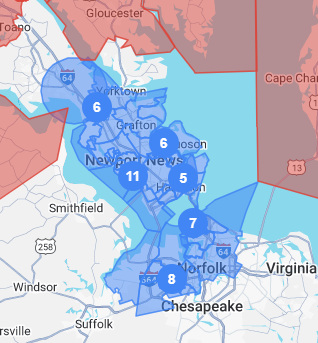
Make sure that you’re selecting the areas you want your remarketing ads to show up for based on the areas your business services.
If you’re currently running a Google Ads campaign for your local business, just set the location targeting to the same settings that you’re running for your main Google Ads campaign.
This will help prevent your Google Ads remarketing campaign from showing your ads to people who are too far outside of your service area.
We want to do everything in our power to show the ads to as many people within your service area as possible.
Need Help Running Google Ads For Your Local Business?
3) Create Your Remarketing Asset Group
This is where we put together the creative for the campaign.
The absolute most important thing here is that you set the audience signal for your asset group to the audience that you created in the previous step.
If you don’t do that, your ad is going to be showing to anybody that Google wants to show your ad to across its many advertising networks.
We want to make sure it’s only showing to the audience that we’re building.
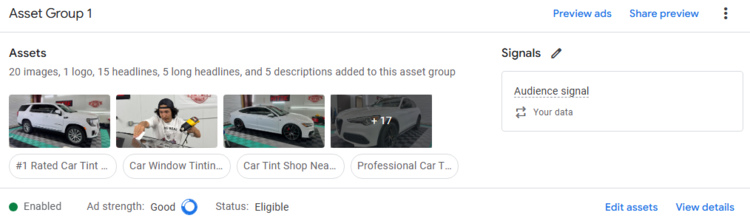
The long story short is that you want to fill out absolutely everything that Google gives you as an option on the ad.
If there’s anything that isn’t quite relevant, you can skip it, but here’s a few things you definitely want to have filled out for the asset group:
- Every single headline, long headline, and description
- Images
- Logo and business name
- Sitelinks that you point to landing pages (more on that in a second)
- Call asset
- Callouts
Everything outside of that like videos, prices, promotions, etc is all optional but it will overall benefit the performance of the asset group if you end up setting it up.
4) Run The Traffic To A Landing Page
Creating the campaign is easy, but at the end of the day we need to turn that traffic into leads.
If we end up just sending that Google Ads remarketing traffic back to the website, then we run the risk of not converting enough of that traffic into leads.
Typically, websites don’t convert as many clicks into leads compared to a landing page.
I’m able to convert 20% or more of the Google Ads remarketing traffic that we generate into leads.
The reason for this is because I send that traffic to a landing page.
I’ll have more content moving forward on how to set up landing pages, and the best practices you want to follow when putting them together.
For the time being, just keep in mind that where you send someone after they click on a remarketing ad will impact how well that traffic will convert into leads.
Conclusion
That’s it for this case study. If you pull anything from this, I hope it’s simply to start running a remarketing campaign for your business.
It’s been a great way to generate more leads and business for my clients, and I know it will help you too.
If you’re looking for someone to run Google Ads for local businesses, you can click below to apply for a quick consultation.
The application will be sent over to me directly, where I’ll check it out to see if I can help out. If I feel like I can help out, I’ll reach out and we can get a consultation set up.
Thanks for reading!
Recent Comments